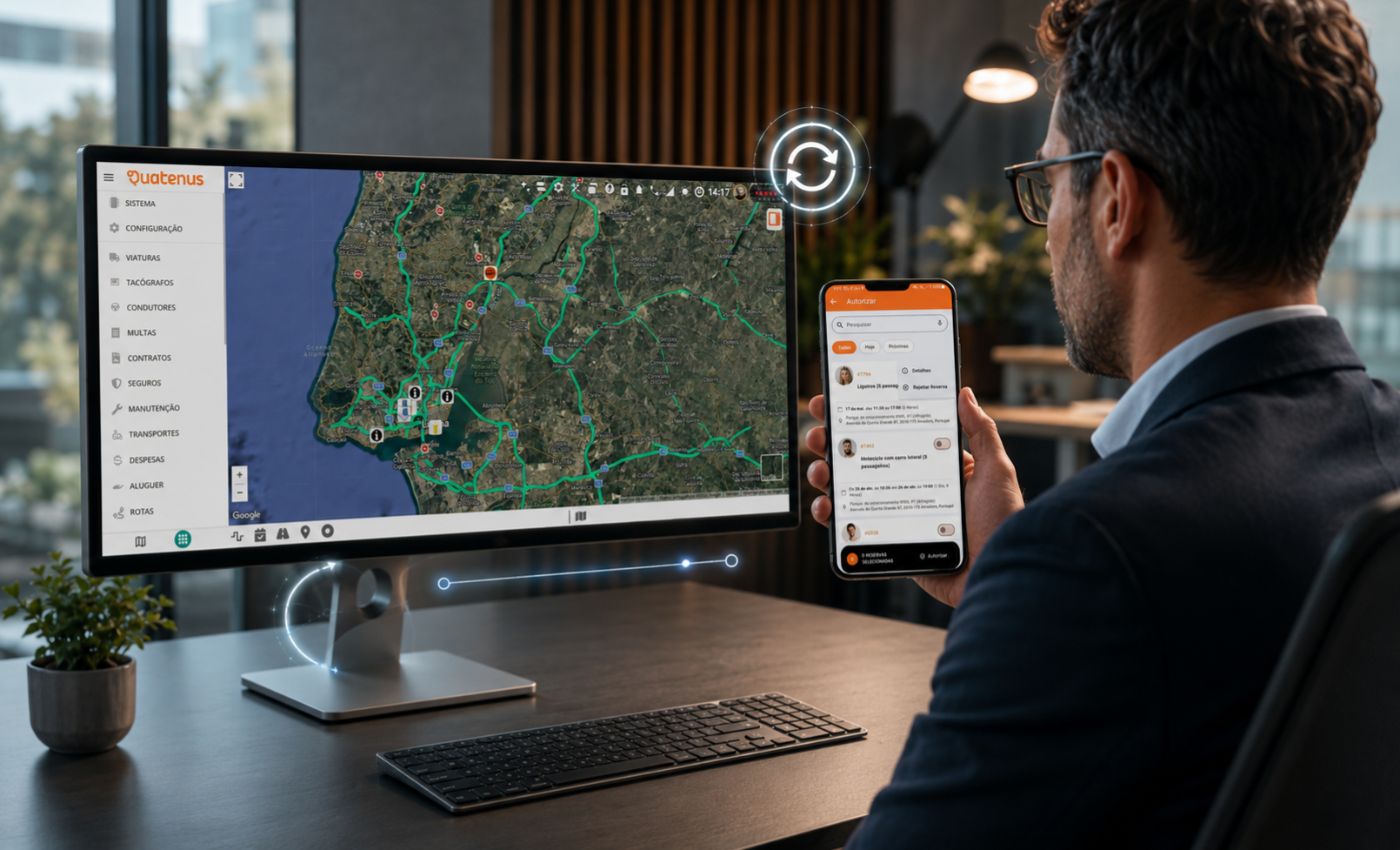
Quatenus continues to evolve its solutions to make daily processes clearer, better organized, and easier to follow. In this update, improvements were introduced to vehicle Reservations, new data was added to Report 4.17: Timesheet, and the GTI graphical interface was renewed.
These updates were designed for teams that need to access information quickly, validate internal processes, and follow the use of company resources with greater visibility. Each improvement supports a different stage of the operation: reservation planning, attendance analysis, or navigation inside GTI.
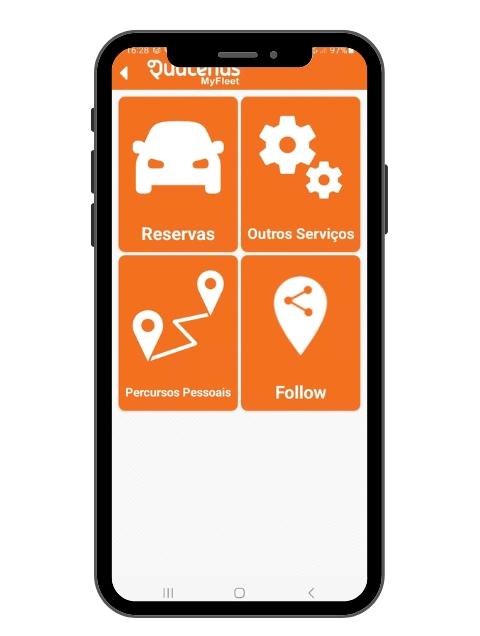
The Reservations area now provides a clearer experience for teams that need to plan, approve, or monitor vehicle use. The new interface helps organize the process, reduces doubts during reservation creation, and gives greater visibility to the steps that require validation.
This improvement is especially relevant for companies that work with shared vehicles or internal approval processes. When the reservation flow is not clear, doubts may arise regarding availability, usage rules, or request validation. With the new interface, users can better understand what they need to fill in, check, or follow.
One of the new features is the possibility to define the allowed advance time for vehicle reservations. With the setting “Maximum advance reservation time (days)”, the company can adjust the period in which a vehicle can be reserved in advance.
In practice, this setting helps avoid requests that are too early or not aligned with the real use of the fleet. For teams that need to balance availability, operational planning, and shared vehicle use, this rule makes the process more predictable.
The authorization process was also improved with the possibility to reject a reservation during validation. When a request does not meet the criteria defined by the company, the responsible team can reject it directly in the process.
This change makes the flow more complete. Instead of keeping requests pending or relying on parallel communication to explain the rejection, the decision stays associated with the authorization process. This helps maintain better organization of requests and reduces doubts between the person requesting, the person approving, and the team monitoring vehicle use.
Another improvement is available at the moment of vehicle return. When returning the vehicle, the user can view events associated with it, such as geofence exit or aggressive driving events.
This information is available through Configuration > Options > Vehicle reservations > Vehicle reservations.
In practice, the company no longer follows only the start or end of the reservation. It can also review relevant events associated with the vehicle use during the reserved period. This view helps fleet teams better understand what happened during use, identify situations that require analysis, and make decisions based on more complete information.
Report 4.17: Timesheet with additional data
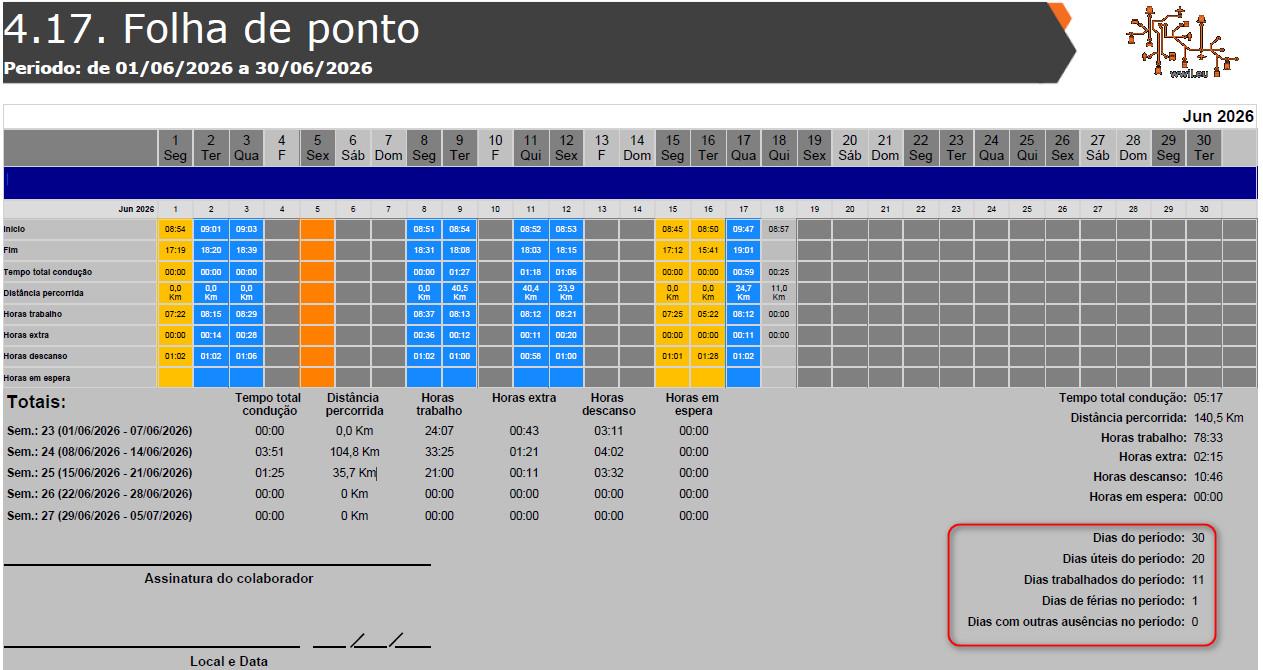
Report 4.17: Timesheet now includes additional data for consultation, making the reading of the analyzed period more complete and direct.
With this update, the report now shows information about days of the month, working days, days worked, vacation days, and number of absences. These fields help bring together, in a single report, important data to monitor employee attendance or validate actual occupation during the selected period.
In practice, this improvement makes it easier to compare the planned calendar with the recorded activity. The company can understand more clearly how many days were available for work, how many were actually worked, which periods corresponded to vacation, and how many absences were recorded.
This view makes the report more useful for teams that need to consult attendance information quickly, support administrative processes, or validate data before making decisions related to team management.
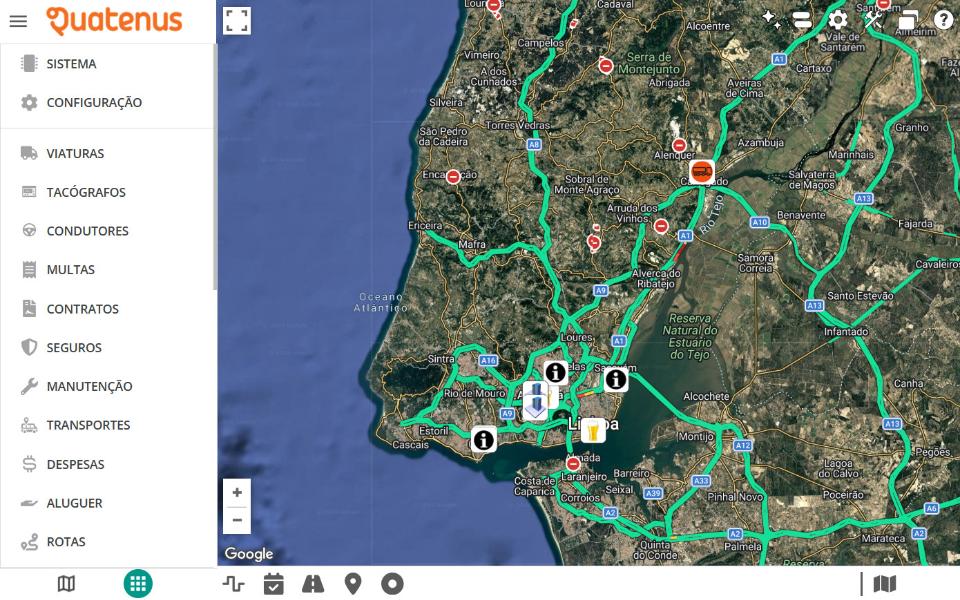
The GTI graphical interface now offers a more up-to-date visual experience, with improvements that make navigation clearer and more comfortable for users.
The management bar received a renewed visual design, contributing to a more organized reading of the available options. This change helps users identify the main actions inside GTI more easily, while keeping navigation direct.
Several interface elements were also updated with rounded corners, including text fields, buttons, GTI windows, tables, and other visual components. This improvement creates greater consistency across the graphical environment and makes daily use smoother.
Forms also received usability improvements. Text fields and field titles now have better visibility, helping users enter information with greater clarity. In practice, forms become easier to follow, reducing doubts during data entry or consultation.
An additional improvement was also added to GTI windows. Windows that did not previously appear in the carousel now appear with a default icon. This way, they remain visually represented, preventing them from getting lost during navigation or becoming harder for users to access.
These updates reinforce the continuous evolution of Quatenus in improving the user experience. Vehicle Reservations become more complete in planning, authorization, and return. The Timesheet Report now provides additional data to support administrative consultation. GTI gains a more up-to-date visual interface, with forms that are easier to read.
Together, these updates help teams access information with greater clarity, follow processes with better organization, and reduce doubts in daily tasks.
Quatenus is constantly evolving.
If you are not yet our client, contact us and discover how we can help drive your business forward.
Ask for DemoFAQ
Yes. The Quatenus platform allows users to book vehicles and follow the reservation process from creation to authorization and return. With this update, the Reservations area now includes a new interface, a maximum advance reservation time setting, the possibility to reject requests during authorization, and access to vehicle events during the return process.
A timesheet is a record used to track employee attendance, worked days, vacation periods, and absences. In Quatenus, Report 4.17: Timesheet brings this information together to support consultation and administrative processes.
A timesheet is used to consult, validate, and organize information related to employee attendance. With the new data added to Report 4.17, companies can review days of the month, working days, days worked, vacation days, and number of absences with greater clarity.
Related